Do CCTV cameras help you and your family feel safe?
Do you think surveillance cameras provide you and your family a sense of security?
Yes, one of the most apparent benefits of having a CCTV security system is that it protects your family from burglars and other hazards.
You feel protected when you have a security system placed around you.
You know your house is as safe as it can be, and adding CCTV cameras is a significant deterrent for opportunistic crimes that mostly occur in Brisbane’s suburbs.
It is sometimes sufficient to merely install a security system to stop attackers from accessing a facility.
If the system does not deter a burglar and they are present in the house, you will be notified in time to get your family to a safe area. This may dissuade the thief from engaging in potentially confrontational behaviour.
CCTV Cameras for the home are becoming increasingly popular.
One of the most major benefits of putting functional security cameras in your house is that your insurance prices will be decreased.
Some home insurance companies may also give you a discount if you install security systems such as video cameras, outside lights, and smoke alarms in your property. As a result of these characteristics, your house is less likely to be targeted by criminals, resulting in the insurance provider accepting a lower risk when insuring you.
As a result of the investment in a CCTV system, homeowners’ insurance costs are lowered to a larger extent.
Security Systems
Outdoor security cameras provide a number of advantages.
Outside security cameras also allow you to keep track of who enters and exits your property.
You will be able to quickly identify suspicious persons and direct them out of the building if required.
Advantages of installing indoor security cameras
Internal cameras in commercial buildings may be advantageous.
They enable you to keep track on your employees’ performance and ensure that everyone is carrying out their tasks.
Another alternative is to use CCTV cameras to monitor the safety of your employees.
You can monitor them and uncover workplace hazards that increase the chance of an accident if they are following safety standards.
Investing in commercial video surveillance systems may benefit your company’s reputation.
Consider the following scenario: you run a facility where many people visit and go on a daily basis.
As a consequence, placing security cameras in a prominent location will help people feel more comfortable in such a circumstance.
The extra security measure shows others that your organisation cares about the well-being of its customers.
It is advised that security cameras be installed in commercial properties such as parking lots, restaurants, and retail shops.
CCTV Camera Security
It is quite humiliating for the maker of your security equipment to discover that an unauthorised person has hacked and seized control of your security camera or recorder.
In recent years, protecting CCTV security systems from network attacks has been the most important worry.
A VPN router/firewall, which is a type of computer that stops attackers from entering your network, is the most recommended technique of securing your CCTV surveillance system.
When it comes to securing networked devices of all types, these devices are becoming more widespread as time goes on.
Qualtech Security, which instals camera systems (as specified in their business profiles), may provide advice on and apply best practises in information security.
How Can You Conceal Security Cameras?
It is normal practise to position cameras in areas where intruders may see them to dissuade break-ins. In other cases, however, it may be necessary to conceal security cameras in specific places for a number of reasons.
Security cameras may be hidden in a variety of ways.
You may engage the services of a qualified cctv camera installation business to install a CCTV camera and security equipment in an inconspicuous way.
Is it legal in Australia to install a closed-circuit television camera on someone else’s property?
The High Court of Australia has stated on several occasions that there may be an offence against privacy that can be tried under Australian common law.
According to Section 8 of the Australian Act, it is illegal to install a CCTV camera on another person’s property without the permission of the property owner.
Although the Surveillance Devices Act of 2007 forbids the installation of CCTV cameras on private land, it does not prevent the recording of activity on a neighbor’s property with the owner’s permission.
Hire a CCTV Camera Installation Company to do the installation.
Qualtech Security is the go-to home security firm in Redlands and all of the areas south and east of the Brisbane central business district. Qualtech Security has excelled in technical understanding, customer service/aftercare, and reputation, among other aspects of its business.
Article first appeared on https://www.qualtechsecurity.com.au/
How to prevent ransomware:- Knowing how to prevent ransomware is an essential first step. This type of malware is hazardous for business data. However, there are many ways to defend yourself from this threat. One of the crucial steps is training and education for your employees. They need to know what ransomware is, how to spot it, and what to do if they see something that looks suspicious. Here are some ways to protect your company from ransomware.
The first step is to protect your company from malicious ads. The most common ransomware attacks target computers. These ads use AES encryption to make them nearly impossible to decrypt. In addition, the use of unique devices like laptops and smartphones poses a significant risk to your network if they are not regulated. You should ensure that these devices are not allowed by other employees or customers. Using these measures will minimize the threat and keep your network safe.
Second, you should have a plan in case of an attack. Create a plan to handle the situation and prevent the attack. If your company uses a cloud-based service, this might be the best way to protect your data from ransomware. But if you’re using a shared server, implementing a policy that allows your users to share files is also a good idea. While this approach might seem obvious, the problem is not always as easy as it looks.
Once you’ve identified the problem, protecting your data is essential. This means developing an incident response plan, including an incident response plan. The White House recommends a series of questions to test the project and a business continuity plan. Another tip is to disable infected devices. If you have no backups, you can’t spread the infection to other computers. That way, you won’t be able to get ransomware.
The best way to prevent ransomware is to upgrade your computer’s operating system and software. You can also install anti-virus software to protect your system from malware. If you’re running an old operating system, your security isn’t the only thing to be worried about. It’s the lack of a robust anti-malware program that can keep you safe. You should be able to get your files back, and if you can’t recover, you should try a new method that will restore your computer to normal.
Cyber-hijackers also use mobile devices and social-media messenger apps to distribute their ransomware. So, it would be good if you were careful not to click on any links from people you don’t know. It’s also important to check the sender’s email address and any link if you’re unsure. You can also disable any file-sharing programs on your computer. This will prevent ransomware from spreading.
A good way to prevent ransomware is to stay up-to-date. This includes hardware and software. IT teams should pay special attention to security software. They should enable auto-updates to download and install the latest security patches automatically. You should also back up your system regularly. By backing up your data, you can detect any threats and stop the spread of ransomware. If you have to pay up, be sure to keep copies of your data.
Apart from keeping your operating system and software up-to-date, you should also make sure your employees use anti-virus software. The key to preventing ransomware is an internet security program that can identify any threats and remove them from your computer. By using this, you will be protected from ransomware. This is a great way to prevent ransomware as it’s constantly changing. So, it’s always essential to update your software and hardware.
Aside from securing your operating system, you should also protect your data from ransomware. By keeping your operating system up-to-date, you’ll be able to save your data. A good security program will keep your system protected and secure. Then, if you’ve already been infected with ransomware, you should isolate the infected computer and try to stop it from spreading to other computers. By doing these things, you’ll be able to detect ransomware and prevent its spread.
How Can Companies Prevent Ransomware?
The first step in how to prevent ransomware is to block malicious ads. These ads may contain malware that encrypts backup files. Using fresh backup files will allow you to restore critical files quickly. If your machine becomes infected with ransomware, you must delete it immediately. You should also disable file sharing to stop attackers from spreading their malicious code. A backup file must be always kept.
Prevent Ransomware Attacks
It is important to stay up-to-date on all your computers. Make sure your security software is updated. Most vendors release updates and patches regularly. Using automatic updates will ensure your software is current and protected. Backing up your system is a great way to detect ransomware attacks. After backing up your data, you can take the necessary steps to restore it. You should consider hiring a cyber security professional to monitor your network for suspicious activity and protect it.
If your organization is susceptible to ransomware, you should implement measures to stop it. To reduce the risk of infection, make sure all your hardware and software are updated. You should pay special attention to security software, such as anti-virus software. You should enable auto-updates so that the latest security patches are automatically downloaded and installed. Another way to detect ransomware attacks is to back up your system. Once you’ve backed up your systems, you’ll be able to recover them and prevent them from spreading further.
Another step to prevent ransomware attacks is to keep your systems up-to-date. This includes both software and hardware. If you’re worried about running out of security patches, you can install guest networks and set up account lockout policies to limit the risks of ransomware infection. Finally, always back up your system. A backup is a great way to detect a ransomware attack and recover from it.
Keeping all systems up-to-date is a crucial part of any security plan. It would be best if you kept your network and software up-to-date, especially your security software. You should also set up passwords with strong passwords and use the auto-update option to get the latest security patches. You should also keep a backup of your system. A backup will help you recover your system if you have a ransomware attack.
The second step in how to prevent ransomware is to test your system’s security. For example, your IT team should conduct penetration tests and ransomware simulations to test your response plans. After conducting penetration tests, you should disable all devices that have been infected by ransomware. This will prevent these devices from spreading and will prevent ransomware from spreading. If the ransomware attack does happen, you should have a backup of all your data.
A backup of your data is the best way to prevent ransomware attacks. It would be best if you did not open any email attachments unless you were sure of the sender. In addition, you should not enable macros in emails and documents. These malicious macros can grant access to malware. You should also avoid downloading software from unknown sources. The more information you have, the less chance you’ll be infected with ransomware.
To prevent ransomware, it’s essential to back up your files regularly. The White House recommends using automatic cloud backup services to ensure that your data will not be lost if your computer is infected by ransomware. You should also set up a system for disaster recovery. You must be prepared to deal with any situation and restore your data during an incident. Regardless of the size of your company, you must back up your files regularly.
While paying a ransom is the easiest way to remove ransomware, it’s still a good idea to follow these steps to protect your data. You should disable the malicious processes on your computer. Furthermore, you should disable any rogue processes. These rogue processes can affect your data and make it unusable. The best way to avoid ransomware is to update your software. This will help your anti-malware program recognize the latest threats.
How to Prevent Ransomware
Getting a virus is difficult, and the first thing you need to do is protect your computer. Fortunately, there are some things you can do to protect your computer from ransomware. The most important step you can take is to stay updated on all operating systems and software. You can prevent this by staying updated on your operating system and downloading the latest security patches. In addition, you can also download free anti-malware software and update your system regularly.
Keeping your operating system and software up to date is essential. This includes both hardware and software. It’s necessary to update security software, like anti-virus programs. If you can turn on auto-update, you can reduce your risk of infection. And, if you’re worried about ransomware, backing up your system is a good idea. Regardless of which type of ransomware you have, you can use a backup of your system to restore a clean copy of your data.
Understand Computer Viruses
Anti-virus software is a great way to protect your computer against ransomware, but you must remember to use a good anti-malware suite. These programs are essential to protect your system from infections. Make sure you’re using the latest versions, which contain updated definitions and security tools. They’re also helpful in preventing BYOD, and you can also limit the number of files you share by disabling file sharing.
Another effective way to protect your computer from ransomware is to keep it updated. This includes hardware and software. Installing and maintaining updated security software is essential to prevent ransomware attacks. It would be best to use a guest network or disabled BYOD. You should also set up a strict password policy and use account lockout policies. Finally, backing up your system is an effective way to detect ransomware. If you’re not sure how to prevent ransomware, make a backup of your system before any change.
Apart from anti-virus software, you should install anti-malware software and disable unneeded apps. You should also install an ad-blocker. You should enable the auto-update feature to reduce the risk of ransomware attacks. By installing anti-virus and anti-malware software, you can prevent ransomware infections. And if you haven’t installed anti-malware, try backing up your system regularly. This will protect your PC against threats and help you recover from any disaster.
Another way to prevent ransomware attacks is to ensure that your operating system and software are updated. This means enabling auto-update on all of your software and hardware. It would be best if you also disabled file sharing and rogue processes. Keeping these settings updated is essential to protect your system from ransomware. If you don’t have this option, the attackers will steal your data. Therefore, it’s necessary to keep your operating system up to date.
The best way to avoid ransomware attacks is to use anti-virus software. This software will protect you against malicious software that deletes files. Furthermore, anti-virus software is essential protection against ransomware attacks. Additionally, ad-blocker will block ads and java applications. And, if you can’t afford to pay the ransom, you should shut down your system. By shutting down the system, you can prevent the spread of the infection.
The next step to prevent ransomware is to keep your operating system updated. Updating software is essential because it makes it less vulnerable to ransomware. Most vendors release security updates and patches regularly. You can set your computer up to receive these updates automatically by turning on automatic updates. If you can’t do this, you should consider using a third-party backup service. This way, you can protect yourself from ransomware and restore any lost files.
You can also protect your computer by blocking malware by blocking malicious Tor IP addresses. This way, ransomware won’t be able to access your computer and encrypt your files. The last step is to limit the number of open ports and IP addresses. These steps will prevent the spread of malware. Taking these steps will help you avoid ransomware. This is a very important security measure for your computer. It’s essential to update your operating system to ensure that it’s up to date and has a high level of protection.
How Can We Prevent Ransomware Attacks?
Knowing how to prevent ransomware is an essential first step. This type of malware is hazardous for business data. However, there are many ways to defend yourself from this threat. One of the crucial steps is training and education for your employees. They need to know what ransomware is, how to spot it, and what to do if they see something that looks suspicious. Here are some ways to protect your company from ransomware.
The first step is to protect your company from malicious ads. The most common ransomware attacks target computers. These ads use AES encryption to make them nearly impossible to decrypt. In addition, the use of unique devices like laptops and smartphones poses a significant risk to your network if they are not regulated. You should ensure that these devices are not allowed by other employees or customers. Using these measures will minimize the threat and keep your network safe.
Second, you should have a plan in case of an attack. Create a plan to handle the situation and prevent the attack. If your company uses a cloud-based service, this might be the best way to protect your data from ransomware. But if you’re using a shared server, implementing a policy that allows your users to share files is also a good idea. While this approach might seem obvious, the problem is not always as easy as it looks.
Once you’ve identified the problem, protecting your data is essential. This means developing an incident response plan, including an incident response plan. The White House recommends a series of questions to test the project and a business continuity plan. Another tip is to disable infected devices. If you have no backups, you can’t spread the infection to other computers. That way, you won’t be able to get ransomware.
The best way to prevent ransomware is to upgrade your computer’s operating system and software. You can also install anti-virus software to protect your system from malware. If you’re running an old operating system, your security isn’t the only thing to be worried about. It’s the lack of a robust anti-malware program that can keep you safe. You should be able to get your files back, and if you can’t recover, you should try a new method that will restore your computer to normal.
Cyber-hijackers also use mobile devices and social-media messenger apps to distribute their ransomware. So, it would be good if you were careful not to click on any links from people you don’t know. It’s also important to check the sender’s email address and any link if you’re unsure. You can also disable any file-sharing programs on your computer. This will prevent ransomware from spreading.
A good way to prevent ransomware is to stay up-to-date. This includes hardware and software. IT teams should pay special attention to security software. They should enable auto-updates to download and install the latest security patches automatically. You should also back up your system regularly. By backing up your data, you can detect any threats and stop the spread of ransomware. If you have to pay up, be sure to keep copies of your data.
Apart from keeping your operating system and software up-to-date, you should also make sure your employees use anti-virus software. The key to preventing ransomware is an internet security program that can identify any threats and remove them from your computer. By using this, you will be protected from ransomware. This is a great way to prevent ransomware as it’s constantly changing. So, it’s always essential to update your software and hardware.
Aside from securing your operating system, you should also protect your data from ransomware. By keeping your operating system up-to-date, you’ll be able to save your data. A good security program will keep your system protected and secure. Then, if you’ve already been infected with ransomware, you should isolate the infected computer and try to stop it from spreading to other computers. By doing these things, you’ll be able to detect ransomware and prevent its spread.
How Can Companies Prevent Ransomware?
The first step in how to prevent ransomware is to block malicious ads. These ads may contain malware that encrypts backup files. Using fresh backup files will allow you to restore critical files quickly. If your machine becomes infected with ransomware, you must delete it immediately. You should also disable file sharing to stop attackers from spreading their malicious code. A backup file must be always kept.
It is important to stay up-to-date on all your computers. Make sure your security software is updated. Most vendors release updates and patches regularly. Using automatic updates will ensure your software is current and protected. Backing up your system is a great way to detect ransomware attacks. After backing up your data, you can take the necessary steps to restore it. You should consider hiring a cyber security professional to monitor your network for suspicious activity and protect it.
If your organization is susceptible to ransomware, you should implement measures to stop it. To reduce the risk of infection, make sure all your hardware and software are updated. You should pay special attention to security software, such as anti-virus software. You should enable auto-updates so that the latest security patches are automatically downloaded and installed. Another way to detect ransomware attacks is to back up your system. Once you’ve backed up your systems, you’ll be able to recover them and prevent them from spreading further.
Another step to prevent ransomware attacks is to keep your systems up-to-date. This includes both software and hardware. If you’re worried about running out of security patches, you can install guest networks and set up account lockout policies to limit the risks of ransomware infection. Finally, always back up your system. A backup is a great way to detect a ransomware attack and recover from it.
Keeping all systems up-to-date is a crucial part of any security plan. It would be best if you kept your network and software up-to-date, especially your security software. You should also set up passwords with strong passwords and use the auto-update option to get the latest security patches. You should also keep a backup of your system. A backup will help you recover your system if you have a ransomware attack.
The second step in how to prevent ransomware is to test your system’s security. For example, your IT team should conduct penetration tests and ransomware simulations to test your response plans. After conducting penetration tests, you should disable all devices that have been infected by ransomware. This will prevent these devices from spreading and will prevent ransomware from spreading. If the ransomware attack does happen, you should have a backup of all your data.
A backup of your data is the best way to prevent ransomware attacks. It would be best if you did not open any email attachments unless you were sure of the sender. In addition, you should not enable macros in emails and documents. These malicious macros can grant access to malware. You should also avoid downloading software from unknown sources. The more information you have, the less chance you’ll be infected with ransomware.
To prevent ransomware, it’s essential to back up your files regularly. The White House recommends using automatic cloud backup services to ensure that your data will not be lost if your computer is infected by ransomware. You should also set up a system for disaster recovery. You must be prepared to deal with any situation and restore your data during an incident. Regardless of the size of your company, you must back up your files regularly.
While paying a ransom is the easiest way to remove ransomware, it’s still a good idea to follow these steps to protect your data. You should disable the malicious processes on your computer. Furthermore, you should disable any rogue processes. These rogue processes can affect your data and make it unusable. The best way to avoid ransomware is to update your software. This will help your anti-malware program recognize the latest threats.
How to Prevent Ransomware
Getting a virus is difficult, and the first thing you need to do is protect your computer. Fortunately, there are some things you can do to protect your computer from ransomware. The most important step you can take is to stay updated on all operating systems and software. You can prevent this by staying updated on your operating system and downloading the latest security patches. In addition, you can also download free anti-malware software and update your system regularly.
Keeping your operating system and software up to date is essential. This includes both hardware and software. It’s necessary to update security software, like anti-virus programs. If you can turn on auto-update, you can reduce your risk of infection. And, if you’re worried about ransomware, backing up your system is a good idea. Regardless of which type of ransomware you have, you can use a backup of your system to restore a clean copy of your data.
Anti-virus software is a great way to protect your computer against ransomware, but you must remember to use a good anti-malware suite. These programs are essential to protect your system from infections. Make sure you’re using the latest versions, which contain updated definitions and security tools. They’re also helpful in preventing BYOD, and you can also limit the number of files you share by disabling file sharing.
Another effective way to protect your computer from ransomware is to keep it updated. This includes hardware and software. Installing and maintaining updated security software is essential to prevent ransomware attacks. It would be best to use a guest network or disabled BYOD. You should also set up a strict password policy and use account lockout policies. Finally, backing up your system is an effective way to detect ransomware. If you’re not sure how to prevent ransomware, make a backup of your system before any change.
Apart from anti-virus software, you should install anti-malware software and disable unneeded apps. You should also install an ad-blocker. You should enable the auto-update feature to reduce the risk of ransomware attacks. By installing anti-virus and anti-malware software, you can prevent ransomware infections. And if you haven’t installed anti-malware, try backing up your system regularly. This will protect your PC against threats and help you recover from any disaster.
Another way to prevent ransomware attacks is to ensure that your operating system and software are updated. This means enabling auto-update on all of your software and hardware. It would be best if you also disabled file sharing and rogue processes. Keeping these settings updated is essential to protect your system from ransomware. If you don’t have this option, the attackers will steal your data. Therefore, it’s necessary to keep your operating system up to date.
The best way to avoid ransomware attacks is to use anti-virus software. This software will protect you against malicious software that deletes files. Furthermore, anti-virus software is essential protection against ransomware attacks. Additionally, ad-blocker will block ads and java applications. And, if you can’t afford to pay the ransom, you should shut down your system. By shutting down the system, you can prevent the spread of the infection.
The next step to prevent ransomware is to keep your operating system updated. Updating software is essential because it makes it less vulnerable to ransomware. Most vendors release security updates and patches regularly. You can set your computer up to receive these updates automatically by turning on automatic updates. If you can’t do this, you should consider using a third-party backup service. This way, you can protect yourself from ransomware and restore any lost files.
You can also protect your computer by blocking malware by blocking malicious Tor IP addresses. This way, ransomware won’t be able to access your computer and encrypt your files. The last step is to limit the number of open ports and IP addresses. These steps will prevent the spread of malware. Taking these steps will help you avoid ransomware. This is a very important security measure for your computer. It’s essential to update your operating system to ensure that it’s up to date and has a high level of protection.
How to protect computers from ransomware: Ransomware is a virus that encrypts your files and prevents you from using them. Once on your computer, ransomware can spread to other computers or storage devices in your network. The infection is easily spread by visiting unsafe websites, opening suspicious email attachments, and using social media, instant messaging, or SMS chat. Once infected, it is extremely difficult to recover your files. Here are some steps you can take to protect your computer from ransomware.
Antivirus software is one of the most basic steps to protect your PC from ransomware. However, antivirus programs cannot protect you from every possible threat. Ideally, your security system should also have a firewall and spam filters. These are the primary defenses against ransomware, but they are not foolproof. Furthermore, the security system should also have strong spam filters and firewalls. These features are crucial to protect your computer from ransomware attacks.
Besides installing security software, you should also make sure that your computer is up to date with security patches. Regular updates of antivirus software are necessary to keep your system updated. Keeping your operating system updated is also essential to keep ransomware at bay. The best way to protect your computer against ransomware is by backing up your files regularly. It is important that you disconnect external drives when backing up your files. You should also make sure that automatic Windows updates are turned on and updated. Another way to avoid being a victim of ransomware is to avoid clicking on any links that appear suspicious. Be sure that the website you are visiting is secure.
Secondly, you should always back up your data. If you’re unsure of whether you have backups of your files, you should make sure you have them. It is crucial to back up your data regularly to minimize the effects of any ransomware infection. Remember to make backups frequently. If you’ve got network-connected backups, then you can still be susceptible to ransomware. As with your other data, make sure you isolate critical backups from the network to ensure maximum protection.
Ensure that your security system is up to date. By installing antivirus software, you can prevent attacks. Additionally, it is vital to keep your system up to date. This will help you avoid a ransomware attack and keep your data safe. You should also disable any suspicious email attachments or links. These are likely to contain malicious code that will encrypt your files. By doing this, you can protect yourself from a ransomware infection.
Lastly, make sure that you regularly back up your data. Since ransomware spreads by malicious email attachments, you should avoid opening these emails. Instead, you should check the validity of any attachments. Beware of rogue emails. They may contain ransomware. You should also keep your systems and programs up-to-date. And always be wary of links and email attachments. You should also check your antivirus program’s settings on your system to ensure you’re protected from these threats.
It’s also important to keep your security system up to date. Run security tests regularly and make sure that all your software and hardware are up to date. During an attack, you should look for any suspicious links or attachments. If you’re unsure about the validity of an email, delete it immediately. You should also check any malicious files. Aside from removing viruses, ransomware also deletes all your personal information.
Identifying ransomware is important because it can spread on its own. It also spreads by exploiting security holes in legitimate software. Ensure that your software is updated and patched. Moreover, make sure that you only install software from trusted developers. You should disable any infected devices to prevent it from spreading. You should also report any suspicious activity to the authorities. So, how to protect computers from ransomware?
The best way to protect the computer from ransomware is to make sure it is fully functioning and that it is protected by a good backup strategy. If you don’t have any backup, you should back up all your important files on an external storage device. Once your computer is back up and running, you can then scan your computer for ransomware and see if it’s infected. You can even run the scan on a phishing website to see how the virus spreads.
How to Protect Your Computer From Ransomware
If you’re wondering how to protect your computer from ransomware, you’re not alone. Thousands of computers are attacked every year by ransomware and other malware. There are several ways to avoid getting infected, and these tips can make a big difference in the long run. However, it’s important to take precautions to ensure that your system stays virus-free. Here’s how to protect your computer from ransomware and other malware.
Ransonware Attacks
Performing regular system and software updates is essential. Almost all ransomware attacks have targeted Windows, but there have been a few macOS attacks, so you should check your Control Panel for automatic updates. If you’re not sure if your security software is up to date, you can always run a scan on your machine. This will ensure that your system remains free of viruses. Back up your files regularly.
Backing up your files frequently is also important. If ransomware has infected your computer, you’ll be unable to access them and may need to pay a ransom to unlock your files. Making backups is the best way to prevent ransomware from destroying your files. You should use an external hard drive to store backups and keep them separate from your computer. If you need to access your backup device, make sure it’s disconnected from your network and PC.
One of the first things you can do to protect your computer is to avoid opening suspicious emails. Remember that ransomware can spread through email attachments, so never open them unless you know the sender. If you do open an email, check it for a phishing link. If you find an email that seems suspicious, delete it. Then check whether the website is legitimate. If you have any doubts about its authenticity, do not open it.
Ransomware spreads through email attachments and malicious links. It’s vital to keep your computer protected as soon as you suspect an infection. If you’re unsure of what to do, isolate your machine and turn off all external devices. By doing this, you’ll increase the chances of recovering your files. And if you’re unable to decrypt files, you can always create backups of your data.
The second step to protect your computer from ransomware is to backup regularly. This is a great way to prevent ransomware from damaging your system. By backups, you can restore your computer to a previous state. It’s also a good idea to use a time-stamped backup of your files. By doing so, you’ll be able to recover any lost data without having to pay the ransom.
Once you’ve detected a ransomware infection, you should disconnect it from the network and external storage devices. This will help stop the infection and restore your computer. Once you’ve disconnected it from the network, you should disable all external devices. You can also prevent ransomware from affecting your data by not opening any suspicious links or installing suspicious applications. If you’re unsure, back up your files to an external storage device.
While ransomware is very difficult to detect, there are ways to protect your PC. The most important way to prevent ransomware from damaging your system is to update the software. This will make your computer and all of its files safe. This is especially true for Windows PCs. You should download anti-malware software to your PC, but it’s still not a good idea to update the operating system, which is prone to a virus.
If you’re unsure how to protect your computer from ransomware, it’s important to install an antivirus program. This is essential because the virus can infect your PC if you are not protected from it. The best antivirus program will prevent ransomware from damaging your computer. By downloading the latest version of antivirus software, you can protect your system from malware. You should also install internet security software to prevent the spread of ransomware.
Keeping up to date is the best way to protect your system from ransomware. The key is to update your software regularly. Keeping your computer up to date will prevent ransomware from damaging your PC. You should also back up your data periodically. The backup will save you from being unable to access your files after the ransomware attack. If you’re not able to do this, it will be impossible to recover your files.
How to Protect Computer From Ransomware in Healthcare
One of the best ways to protect your computer from ransomware attacks is to make regular backups of your system. If a ransomware attack strikes, it will encrypt all your files and leave you with no way to access them. Fortunately, there are several ways to prevent this from happening. Backing up your system is the best solution for this problem, and it will help limit the damage that you can do.
Regularly backing up your computer is essential. You should verify backups every week. The backups will allow you to restore your system to a previous state, which is important for recovery. It is also a good idea to store your backups separately, and use an external hard drive if possible. You should disconnect this backup device from your computer and network before connecting it. Otherwise, it could be infected by ransomware.
Understanding Computer Viruses
Versioning is another excellent way to protect your computer from ransomware attacks. By storing multiple timestamped versions of your files, you can be assured that your system will be free of malware even if you’re backing up your data. In addition to backing up your files, versioning also reduces the motivation for cybercriminals. This is especially beneficial if you use your computer for work-related activities, as it’s easier to forget to check for updates on your system.
Ransomware is an increasingly widespread threat, and there are many ways to protect yourself from it. For example, make sure you keep your data on an external hard drive and use a virtual private server to store it. If you have an internal hard drive, make sure you back up that storage first. This will help you to avoid being snared by a ransomware attack. Once the data has been recovered, you can start working again.
One of the best ways to protect your computer from ransomware is to ensure that you install and update security software. These programs must be updated regularly to prevent ransomware attacks. Most ransomware attacks have targeted Windows systems, although some have targeted macOS. You should also make sure your security software is up to date since this is the best way to prevent a ransomware attack from spreading. If your system is infected, you’ll be unable to access it until you’ve backed it up.
To protect your computer against ransomware, take precautions to protect your data. Taking daily backups of your data is essential, and if your machine has been compromised, you should restore it as soon as possible. However, if you do not have a backup, you should use a free one. This way, you won’t be unable to recover your files from ransomware. Then, you should take steps to protect your computer against any potential attacks.
In addition to data backup, you should also make sure you have adequate data storage. Not only should you protect your computer from ransomware, but you should also safeguard your hospital’s IT infrastructure. In the event of a ransomware attack, the hospital must take the necessary steps to preserve patient privacy and to ensure that the data backup is secure. Then, you should implement a disaster recovery plan for your organization.
In case of ransomware attacks, you should take precautions to keep your data and system safe. While updating anti-virus software is essential, you should also keep your computers updated to avoid ransomware. A security audit will help you detect any threats and prevent any damage. You should also take care of any security issues with your hospital’s data. In a hospital setting, it is vital to limit user privileges so that ransomware cannot cause significant damage to the hospital.
Taking precautions to protect your computer against ransomware is crucial, and the first step is to keep backups of your data. Having a complete backup of your data will help you recover from any ransomware attack. By using the right software, you can also protect your hospital’s network from ransomware attacks. By using the latest anti-virus and other security features, you can prevent a ransomware attack.
When it comes to ransomware prevention, keep in mind that prevention is significantly superior to recovery. This requires vigilance and the proper security software. Vulnerability scans can also aid in the detection of intruders in your system.
To begin, ensure that your system is not a prime target for ransomware. Device software should always be maintained up to date in order to benefit from the most recent security updates. Even the most effective ransomware avoidance tactics can fail, emphasising the need of having a backup plan. It is critical to keep a backup of your data in the event of ransomware.
If you back up your data to a device or place that your computer does not require access to, you may quickly retrieve the data you require in the event of a successful assault. It is crucial to periodically backup any critical data.
In recent years, malicious software that employs encryption to encrypt data and hold it for ransom has gained popularity. This ransomware is meant to defraud victims by pretending to be able to decrypt their data. As with other computer viruses, it often infects a device by exploiting a security flaw in susceptible software or by duping an administrator into installing it. Ransomware, as it is more commonly referred to, targets prominent targets such as hospitals, public schools, and law enforcement institutions.
Ransomware has now infiltrated personal PCs.
The malicious ransomware business model has established itself as a profitable one for cybercriminals. When it comes to ransomware prevention, the following are some must-dos and must-not-dos:
ransomware prevention
Scanning email communications is a critical component of ransomware defense.
Malicious malware is commonly detected by email scanning software. When the scanner detects ransomware, it deletes the email and it never reaches your inbox.
Ransomware distributed through email is frequently sent as an attachment or as a file within the email body. Hackers have been known to introduce seemingly benign graphics that, when clicked, install malware on your PC. Scanning emails containing these types of attachments can assist in keeping your device – and those on your network – virus-free.
Connecting a USB stick to your computer that you are unfamiliar with is never a smart idea:
It is never a good idea to connect unknown USB sticks or other storage devices to your computer. Cybercriminals may have contaminated the storage media and left it in a public location in order to attract someone to use it.
When responding to an email, an unwelcome phone call, a text message, or an instant message, avoid providing personal information.
A cybercriminal may set up several traps to infect your computer with ransomware or to fool you into downloading it using your personal information. Individuals frequently reuse their passwords for laptops and websites that they use for their accounts and webpages.
A cybercriminal will access an account using your personal information, then use the password to obtain access to your computer and install ransomware. If sensitive information is not released, it makes it far more difficult for an attacker to carry out this type of attack.
Phishers will attempt to trick you into installing malware or gathering intelligence for future attacks by mimicking a trusted source.
Consider the following scenario: You receive a message from your “financial institution” informing you of “abnormal conduct on your account,” which triggers your internal alarm system. This is why this fraud works so well: you are pressed for time, stressed out, and doubtful.
Additionally, hackers have been known to embed malware on a website and then attract people to click on it using the content or social engineering.
Social engineering exerts pressure on the user, typically through fear, to persuade them to do a certain action—in this example, clicking on a malicious link. Often, the relationship looks to be harmless.
Cybercriminals frequently develop phony websites that appear to be legitimate. You should avoid visiting a website if you are unfamiliar with it or if it’s Uniform Resource Locator (URL) seems questionable, even if the website appears to be trustworthy. Always verify the URL of a website before downloading anything.
When traveling, especially if you will be utilizing public Wi-Fi, always connect to public Wi-Fi using a reputable Virtual Private Network (VPN).
While connected to the internet, a VPN encrypts data traveling to and from your device. In effect, a VPN creates a “tunnel” for your data to go through. A user must possess an encryption key in order to enter the tunnel. A hacker must additionally decode data supplied across the tunnel in order to access it.
A VPN prevents criminals from gaining access to your connection and placing malware on your route or on your device, hence preventing ransomware.
Finally, for maximum ransomware protection, utilize commercial-grade antivirus software and a firewall.
Maintaining an up-to-date firewall and security software is crucial. Because counterfeit software is so prevalent, it is critical to utilize antivirus software from a trusted provider.
Using commercial-grade antivirus software is widely considered to be one of the most effective ransomware protection measures. Security software checks data that is downloaded from the internet and enters your computer. When a program identifies a potentially hazardous file, it blocks it from being downloaded to your computer.
Commercial-grade security software scans profiles of known threats and malicious file types to determine which are potentially harmful to your computer. Security software is frequently updated on a regular basis to keep current. They will be automatically deployed by the provider. New dangers are added to the update when they are detected.
As long as you keep your application updated, you’ll have the greatest ransomware avoidance security available.
Ransomware is one type of cyber assault that may be avoided in the majority of cases by following the procedures listed above.
However, ransomware only needs to infiltrate your computer system once if you let your protection lapse. Following that, we’ll discuss some methods you may take to identify ransomware.
Early Ransomware Detection Techniques
In general, the ransomware trend is unlikely to reverse itself very soon. Its ongoing popularity, along with the evolution of extortion tactics, has resulted in a tragically successful economic model.
By focusing on observable traits that ransomware often shows during the early stages of its execution, defenders might avert the latter, much more destructive phases of these attacks.
While no security solution is flawless, a strong ransomware detection and response plan can assist in tipping the balance in favor of the attackers.
A ransomware assault is conducted through a sequence of stages referred to as a death chain. The majority of ransomware assaults follow the following ransomware death chain: gaining access, enhancing privileges, targeting data, penetrating data, disabling recovery mechanisms, installing ransomware, and collecting money.
Each level of the ransomware kill chain gives a chance for ransomware detection to halt a ransomware attack—but each stage does not need 100% detection.
Rather than that, you may thwart ransomware assaults by identifying one or more undesired occurrences early in the attackers’ kill chains.
Ransomware is a sophisticated piece of malware that employs a number of advanced evasion techniques, making it difficult to detect with regular antivirus software.
With ransomware bringing cyber extortion to a worldwide scale, it is critical to master ransomware detection techniques prior to a ransomware attack affecting your system.
Ransomware writers employ military-grade encryption methods and cutting-edge social engineering strategies to seize control of your computer system and encrypt all of your data. Additionally, ransomware may encrypt your data, making it difficult to tell which files are infected and which are not.
Examining the email addresses of incoming emails with care is a must-know precaution for efficiently increasing virus detection. The developers of ransomware send infected emails using a similar-looking email address. They employ cutting-edge technology to make fraudulent emails appear identical to the legitimate email address they are emulating.
For instance, attackers may replace a little letter ‘L’ with the upper-case character ‘I.’ These letters are so close that potential victims unfamiliar with ransomware may be perplexed.
#2 Tip:
Examining all email content is another way to identify ransomware before it infects your laptop or data. Take your time reviewing the contents of the email, especially if it contains sensitive or secret information.
Previously, it was quite straightforward to identify suspected ransomware-infected emails, since ransomware developers just blasted out a large volume of useless spam emails. However, those days are no longer with us.
Modern ransomware authors have honed their techniques, making fake communications appear more credible. They will strive to emulate the email address and writing voice of the person or business they are impersonating in order to evade discovery.
If you have any doubts about the email’s content, do not respond. As a result, the best course of action is to contact the individual or organization directly to verify its veracity.
Anyone who understands ransomware detection properly understands not to immediately open links, much more so if you have reservations about the sender’s validity or the content. Malicious links are the most common method used by ransomware producers to trick users into downloading malware on their machines without their knowledge.
This caution extends beyond spam emails since any link you click on the internet has the potential to install malware on your computer. Look for misspellings and a domain name that is distinctive. Attackers can even create a domain that looks identical to the original.
Remember, if a link causes you anxiety, refrain from clicking it until you’ve conducted some investigation into its legitimacy.
#4 Tip
Using caution while downloading file attachments is an excellent strategy to prevent ransomware infection. Malicious file attachments are commonly tucked away inside encrypted zip files. This strategy enables ransomware producers to conceal the file’s content, and you will not see the harmful file hidden therein until you extract it, at which point it will be too late.
In the event of a ransomware attack, resist caving into the virus creator’s demands. Bear in mind that paying the ransom does not ensure you will receive the right passkey. There are several methods for resolving a ransomware attack.
Bear in mind that ransomware authors target anybody, regardless of their location. Whether it’s a personal computer in your house or the network system of a huge organization, the possibility of being targeted by a destructive ransomware attack is unforeseen and might occur at any time.
Your Ransomware Defense – It’s Never Been This Simple
Ransomware is on the increase in the home.
When ransomware attacks your computer, it immediately begins encrypting your data, rendering it unusable or unreadable. The ransomware’s “owners” claim to have a key that would enable you to remove the encryption and recover access to your data – but only if you immediately pay them hundreds (or even thousands) of dollars.
Additionally, there is no guarantee that the victim’s files will ever be recovered.
It is critical to safeguard your personal computers from ransomware in the same manner that you protect your business machines.
The critical takeaway is as follows:
Sophos Home Premium uses the same advanced artificial intelligence as commercial ransomware security solutions for large enterprises experiencing active ransomware threats to monitor program behavior on your home computer. It determines whether the program on your machine exhibits certain ransomware symptoms.
Sophos Home Premium is capable of detecting and eradicating ransomware that has never been seen before.
Sophos now provides the same degree of security for personal PCs as it does for over 300 million corporate devices globally.
Sophos Home provides the greatest ransomware protection available today by utilizing the massive, regularly updated SophosLabs library of threats and real-time behavioral detection algorithms.
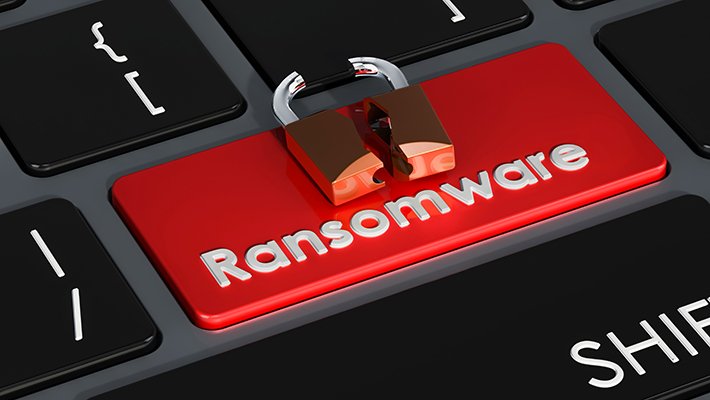
The word “ransomware” refers to a form of malware that threatens to permanently disable access to the victim’s files and personal data unless the ransom is paid. What exactly is ransomware? Ransomware is a harmful application that encrypts personal data and demands a ransom payment before restoring access to it.
A ransomware attack’s goal is to lock down the system and demand payment for the files on the machine. Because the target company is so valuable, the attacker will frequently anticipate that the business will ransom for the data to be returned. As a result, government institutions are the most likely targets for this form of attack. However, it’s vital to realize that ransomware may strike anyone at any time. This is why it’s critical to be conscious of what you’re doing online at all times.
The most popular ransomware is used for extortion and can render a machine useless. In most cases, the attackers will demand between $700 and $1,300 to recover access to the hacked device. The ransoms can be modified to correspond to the nation’s economy is where the computer is situated. Many businesses can afford the ransom if their data cannot be recovered.
When ransomware infects a computer, it encrypts specific file types, rendering them inaccessible without a mathematical key. This method is not advised for most individuals; many victims will never recover their data. Even if a payment is made, this strategy will undoubtedly be expensive and leave the organization without funding for several weeks.
A malevolent actor often distributes this harmful software. Attackers use malvertising to disseminate ransomware. When the ransomware has infiltrated the network, it will demand a bitcoin ransom. When the victim fails to pay the desired amount, the data is encrypted, and a message is shown. Unless the attackers know the key, the data in these files cannot be decrypted.
Ransomware may encrypt files in addition to encrypting them. If the files are encrypted, the criminal will be unable to recover them. This is why ransomware is so difficult to eliminate. A strong recovery strategy will allow you to restore your data and keep it from being corrupted. After you’ve backed up your data, you should begin rebuilding your system and its contents.
When a ransomware assault has infected the whole network, it might be challenging to detect the infection. The best option is to engage a reputable specialist to remove the infection. They will be able to analyze your records and discover the weak points. To remove ransomware, it is vital to track down the source of the infection. This suggests that the problem is buried in your computer’s logs.
Some malware spreads itself autonomously through the Internet. You can safeguard your computer against it by using anti-malware software and without granting the attackers administrative capabilities. You can protect your PC from harmful malware and ensure that your files are saved by installing antivirus software. The most crucial guideline of ransomware protection is to maintain your system updated and secured at all times, which is a necessary step in keeping your data safe.
Small and medium-sized enterprises can also be targeted by ransomware. It spreads via email spam campaigns and exploits system weaknesses. The most typical way for it to spread is through a malicious email attachment. Typically, ransomware will encrypt your files and data and demand a Bitcoin payment. The funds received in this manner will decrypt the stolen data on the victim’s PC.
A ransomware assault is the use of a malicious application to encrypt your files. Criminals can steal your personal information, including your email address and password. They are also capable of encrypting your hard disc. Malware can be deployed without your awareness in some circumstances. You should avoid paying the ransom if you don’t have this. An imposter might even defraud you.
What Happens In A Ransomware Attack
What Exactly Is Ransomware? Malware is a sort of ransomware. It threatens to disable access to a victim’s data permanently. Unlike other types of malware, ransomware does not always prevent access, and the infection will broadcast the victim’s data unless the victim pays a considerable sum of money. Fortunately, ransomware has been designed to be extremely easy to identify and delete.
What Exactly Is Ransomware? Ransomware is a type of computer virus that encrypts a victim’s files in return for money. Cybercriminals attack organizations with sensitive data and demand ransom payments to prevent the information from being lost. They may also target government agencies, colleges, and other institutions. While tracing the offender might be difficult, many people are unaware that the attackers target organizations and individuals with large sums of money.
What Exactly Is Ransomware? Ransomware is a type of malicious software that encrypts the files of its victims. They are intended to encrypt a victim’s data and demand money to decrypt it. When the victim makes the payment, the virus encrypts and encrypts the data. The majority of ransomware is delivered by phishing emails, chat chats or even portable USB devices.
Ransomware is a type of virus that encrypts a computer’s data. These malicious software applications are intended to render the victims’ data inaccessible. The attackers then demand that the victim pay a ransom for decryption. These ransomware programs are frequently activated by malicious malware and downloaded into the victim’s device. This malicious code has the potential to be detrimental to an organization’s business and productivity.
Ransomware is a type of malicious software that encrypts a victim’s computer. It is a method of extortion in which you are forced to pay a ransom for the data. It’s malware that needs the user’s password to re-encrypt its data. A ransomware attack may be eliminated by deleting the affected files, which is a typical backup approach.
The goal of a ransomware attack is to encrypt your whole network. Furthermore, ransomware assaults are carried out to obtain access to critical information. Ransomware has numerous objectives. A ransomware attack aims to get access to as much data as possible, whereas a cybercriminal’s goal is to generate money by encrypting as much data as possible.
What Exactly Is Ransomware? A PC is infected with this harmful program. Once installed, the ransomware encrypts the computer’s data. In return for the data, it then wants a ransom. Once the payment is paid, the attackers will have access to the data. This is ransomware’s ultimate objective. A ‘cryptovirus’ is a common type of ransomware.
The term “ransomware” refers to a sort of computer malware. The virus uses encryption to encrypt the files on a victim’s PC. It also demands bitcoin payment and can disguise itself as an email. As a result, ransomware is more challenging to detect, increasing the likelihood that the victim will secure their computer. It’s piracy, and there’s no such thing as a virus.
What exactly is ransomware? This sort of malicious malware encrypts particular types of data by using malicious URLs. It may also encrypt additional files by using the RAM of a machine. It may also be distributed via social engineering and downloaded using a detachable USB device. Ransomware can encrypt a victim’s data, making a recovery difficult. This form of spyware encrypts all of their data, making it nearly impossible to access.
In return for decrypting the files, the ransomware wants money. In exchange for the stolen files, the criminal seeks a ransom. The attackers can gather valuable information about the victim’s computer, allowing them to start their attacks. If the victim does not pay the ransom, the ransomware may be deleted from the computer. A phishing email is a systematic method for a cybercriminal to get access to your information.
Who Is Responsible For A Ransomware Attack
If your computer has been attacked with ransomware, you may be wondering, “What is ransomware?” It’s a type of virus that threatens to lock your files or disclose your personal information until you pay it. It is the most common sort of malware, as well as the most dangerous. This post will teach you about the most frequent varieties of ransomware and how to prevent being a victim.
What exactly is ransomware? A ransomware assault is malicious software that encrypts specified files and makes them inaccessible to you. It also prevents you from accessing your complete system. This implies you must be aware of the criminal’s demands and respond to them. Typically, a screen message will appear telling you that you have been infected with ransomware. You will be able to retrieve your data once you have paid the ransom.
You must activate System Restore to restore your machine. You may use this tool to restore your computer to an earlier date. You may then uninstall the malware from your computer after you’ve activated it. However, if you have already paid the ransom, you must do it right away. It would help if you first backed-up all of your vital data because you cannot rely on the system to decrypt the files automatically.
Business-system ransomware is the most frequent kind of ransomware. By studying logs and the country’s economy, ransomware criminals can be identified. They are fortunate in that they can afford to pay this fee on short notice. Typically, ransomware will charge between $700 and $1,300, and it will not harm your data or system. In this instance, you must ensure that your computer has been turned off.
This virus can lock your computer’s data and prevent you from accessing them, as well as harm other computers and networks. It is critical to defending yourself from ransomware by safeguarding your computer. To secure your computer, you may use an ad blocker, software that can be installed on your computer. You can protect yourself against ransomware by using an ad blocker.
Initially, ransomware attacks use malicious software to target computers and servers. They will encrypt your files and lock your PC. If you cannot pay, the attacker will be able to sell your information on the dark web. They’ll demand a ransom after they’ve obtained access to your info. It’s simple to pay the ransom, but if you don’t have the funds, you may find up spending more money than necessary.
Law enforcement ransomware is the most prevalent type of ransomware outbreak. This software, which attempts to take control of your computer, falsely claims that you are a criminal or involved in child pornography. There are many victims of this software, and if your machine has been infected, the FBI will attempt to contact you. There is no way to tell if the ransomware is a fraud, but it is a highly efficient means to extract money from a victim.
A ransomware infection is a harmful virus that encrypts your data and demands payment in bitcoin or another money to decrypt them. PC Cyborg is the most popular type of ransomware. It encrypts data and charges a licensing fee of $189 to unlock them. After you pay the ransom, the ransomware will open the encrypted files. Then you must pay the crooks the ransom.
Ransomware is a sort of malicious malware that encrypts computer files. Its main goal is to extract money. Ransomware is an intrusive sort of malware that is also the most expensive to attack systems. While ransomware is reasonably simple to remove, it is harmful and should be cleansed as soon as feasible. The virus may do significant harm to your computer; therefore, it is essential to be cautious when dealing with it.
To unlock their files, this spyware typically forces the victim to pay a considerable ransom. Even though it has been around for a long time, it is still a hazardous virus. Ransomware attacks are expected to cost more than $20 billion by 2021. So, what exactly is ransomware? The solution is straightforward. Malicious malware is responsible for locking your computer. It encrypts your data, locks your files, and demands money in return for access.
What To Do With A Ransomware Attack
The most frequent ransomware is Cryptolocker, which attempts to extort money in exchange for access to the victim’s files. This dangerous program promises to restrict access to personal information and to disclose it on the Internet. While spyware that performs the same thing is available, it is significantly more effective to eradicate the infection without causing damage to your machine. Fortunately, ransomware is uncommon and has few drawbacks, so it is best to avoid it.
Many ransomware attacks are directed at individuals, while they can also target larger organizations such as colleges and governments. This is since they have a large amount of sensitive data that must be kept safe. However, ransomware is especially damaging to public organizations since their systems frequently lack cybersecurity to fight against such an attack. As a result, they are significantly more likely than a private organization to pay the extortion, making paying the ransom a vital aspect of combating a ransomware infestation.
Screen locks and crypto-ransomware are two of the most common types of ransomware. Screen lockers are a type of crypto-ransomware that encrypts files on a computer and asks the victim to pay an electronic fine to recover them. Official government institutions do not employ this form of the virus, and removing it would most certainly cost a substantial amount of money.
Because anonymous surfing encrypts a user’s personally identifiable information, it is a popular method of accessing the World Wide Web. These services make it impossible for third-party websites to read a user’s personal information. These services are an excellent way to avoid the problems connected with a website login. Continue reading to learn more! Additionally, consider the following safe-browsing tips: Once you’ve signed up for a service, it’s simple to maintain your privacy.
Using an anonymous browser protects your online privacy. Remove your IP address from your browser. The same goes for anonymizing your browser. Conversely, anonymous browsing online does not prevent you from ad networks tracking your movements. No one can discover your identity unless your IP address is hidden.
Using an anonymous browsing mode has several benefits. While many people value privacy, online anonymity is still possible. Depending on how well your anonymity is preserved, you may not be concerned about what you post on social networking sites. Better still, you may easily share your PC with others without leaving a digital trail. The trick is to hide your browser’s UA.
Anonymity protects you from government surveillance. Although anonymity is vital to our survival, it is not without risk. Public domain websites have made anonymity less enticing. No matter how much you value privacy, you should never take it for granted. Also, if you value your freedom of expression, don’t let others watch your online behaviour.
Using a private browser may make you feel safer. It can shield you from web trackers and other snooping. It can also protect your personal data. The best anonymous browsers hide your IP address. They will also just follow the domains you visit. A secure browser prevents user tracking. Then you may browse the internet with confidence. It is possible to be quick and safe!
Anonymous browsing may also assist prevent identity theft. While not flawless, this strategy ensures your online safety. It is possible to surf the web anonymously. It also protects your IP address from being connected to your business. If you are a law student, you can protect your identity by using an anonymous browser.
Advanced browsers should support anonymous browsing. These options vary by browser. Your web browser should include them. You may also stop ads on your favourite websites to avoid your IP address from being tracked. They prohibit third-party cookies from tracking your online activities. Using an anonymous browser reduces the amount of data left behind. Your personal data is also not connected to specific websites, preserving your online privacy.
To access the web anonymously, you can download a browser that routes traffic through a network of servers. These browsers were built with the express intention of remaining completely anonymous. They will not track your movements and will take care to preserve your privacy. The majority of these browsers will protect you from third-party tracking and will encrypt your transmissions. If you prefer to be entirely anonymous online, you must take precautions to protect your security. For more information, please visit our website at https://anonymousbrowsing.org/.
Additionally, you may protect your privacy by accessing the Internet with an anonymous browser. By using an incognito browser, cookies are not stored on your computer, preventing third-party organisations from accessing the information you provide. You can protect your online identity and prevent websites from tracking your activities by using a VPN. Yes, these providers also delete the cookie files associated with your browser. While browsing the Internet, a VPN helps you to keep your privacy. These are quite advantageous services. When travelling, you should avoid the use of your personal information.
How To Secure Your Browser
Several solutions exist to secure your web browser. Attackers will have a harder time exploiting it if it is hardened and secured. These measures will not fully safeguard your browser. Passwords must be carefully chosen and kept secret. This essay will discuss a few techniques to safeguard your browser. After reading this tutorial, you should be able to use your web browser.
Automatic updates are one of the safest ways to keep your browser secure. Allowing automatic updates keeps you one step ahead of hackers. Browser developers work around the clock to fix security problems in their products. They sometimes identify exploits after a hacker publishes a worm and spreads it throughout the Internet. Fortunately, changing your browser settings helps prevent hackers from infiltrating your PC.
A complete endpoint security solution is also required. It not only detects zero-day threats but also protects your laptop from malicious third-party addons. Using a strong endpoint security solution is important to preventing ransomware. These utilities are available for free download from the vendor’s website.
Updating your browser is crucial for security. While it may be tempting to download the latest browser updates, this does not ensure your security. Indeed, hackers frequently exploit out-of-date software, making it vital to keep it updated. While most browsers include an ad-blocking feature, only utilise those essential to access certain websites.
To protect your browser, deactivate JavaScript. This is a vital security feature. It stops pop-up windows as well as viruses. Disable auto-fill and pop-up windows in your browser. You should also disable JavaScript to protect your passwords. Several of these programmes may gain access to your computer’s data and install malware. Disable JavaScript to protect your browser’s security.
Pop-up windows can also be secured to protect your browser. Malware often spreads via pop-up windows. To avoid this, block them. You should also avoid risky downloads and URLs. Also, if you’re using an old web browser, enable automatic updates. Then you’ll be safe from malicious websites and data breaches.
Plus, you should use a secure browser. A safe browser will automatically block hazardous websites, keeping you safe. It also prevents pop-ups from stealing your important data. This is a vital step in avoiding phishing sites. Before making any further changes to your browser, you must disable pop-ups.
Along with eliminating pop-ups, you must safeguard your web browser. The browser is set to open hazardous programmes by default. These browsers are easily hijacked. So always use a safe browser. Securing your web browser is simple. It is vital that your network is unhackable.
Deactivating pop-up windows increases browser security. Most modern browsers feature pop-up blockers. This is useful if you want to lessen your reliance on search engines. However, you must use your web browser with caution. Most browsers allow automatic upgrades. Verify that security settings are updated while installing updates.
Several factors affect your browser’s security. Make sure it’s up to date and you have a decent antivirus. You may also use extensions to check your browser’s security. These can be useful, but they must be chosen carefully. While some extensions may increase browser performance, others may contain malware. Using browsers with the most recent security updates is the safest way.
You may access any website in the same way that you would with any other browser programme. It provides faster results than the device’s default web browser. The private browser is a little programme. This software saves cookies just for the duration of the browser session. When you close the browser, it deletes all cache and cookies. While using the software, you may save online pages and store passwords for social networking profiles. You can view the history of your browser at any moment. However, this browser application’s major focus is on personal protection and privacy. All searches are destroyed when you exit the programme.
“Secret browsing” options do not ensure the privacy of your browsing activity!
When users use their browsers’ private browsing mode, they assume they are protected from the outside world. This, however, is not true…
This setting disables browsing history, passwords, and cookies completely. Your internet service provider may monitor your activity, as well as your IP address and geographic location (trackers, sites and ads can see all of this even in private mode). Firefox’s privacy mode makes use of a feature called “origin referrer trimming,” which deletes data linked with the websites you visit automatically.
private browser app
The most private and secure browser software available for Android, with an incognito mode, lightning-fast video downloads, and intelligent search. Our powerful password manager and tracking protection ensure that you have unrestricted access to all information in an environment free of history, cookies, and other tracking technologies. Utilize the incognito web browser to benefit from safe surfing. This version includes the ability to download photos from the Tumblr app in gif format. To download the image, simply copy and paste the link from Tumblr into our search box. Nothing is tracked when you use the privacy browser; no one can see what you’re doing when you download images.
If you’re seeking for a fast, free, and lightweight privacy-focused Android browser, a daring private browser may be your best bet. What are your thoughts? It is a safe internet browser programme that has a built-in ad blocker, pop-up blocker, and tracker blocker. The private browsing mode of the brave private browser does not save any history and gives customisable private search options.
best private browser android
The downloader & private browser application helps you to easily download movies, photos, audio, and other media files to your Android device from your favourite media websites. Save all your downloads in a private, password-protected folder that only you can access and play videos and music with the in-app players. Utilize the multi-tab private browser to browse the internet securely. Download films, photos, and music for offline viewing Password-protect data to safeguard its anonymity Full-featured multi-tab browser in-app video and music player
This is the most advanced private photo/video vault application for Android/iOS in 2021, developed by cash. Ltd. This programme allows you to conceal your private photographs and videos. This programme will allow you to conceal movies and also include an app lock feature. This is a wonderful mobile application for concealing private images and videos, as well as SMS, call logs, and contact information on your phone. This acts as a strong app lock for your smartphone. Your private photographs and videos are only visible with the correct password. Additionally, these images and videos may be backed up to cloud storage, which adds another layer of security.
private browser download
To have a more private surfing experience, you’ll need to install certain add-ons. In comparison to Chrome, Mozilla’s Firefox quantum browser truly excels in terms of surfing performance. In this aspect, it represents a true quantum leap forward from the previous firefox. By and large, Mozilla has always been quite receptive to user feedback and has consistently delivered increasingly inventive and imaginative add-ons and functionality. However, as I previously stated, if you actually want to make Firefox a powerful defence against data breaches and future assaults, you must install add-ons. A particularly intriguing utility is the container one, which sees each each tab as a distinct place distinct from the others. This significantly enhances privacy.
Private internet access
Navigate to your preferred websites and download files directly to your iPhone, iPad, or iPod touch. Additionally, this lightning-fast internet browser has readers for a variety of popular file formats, including Microsoft Word, PDF, and others. Protect your free browser and download history with a passcode or touch id!
– supports tabs, bookmarks, private browsing, and google search
– private anonymous browsing
– shows a list of possible downloads for each web page
– change the user-agent to request desktop sites
– view your complete browser history.
best private browser for pc
A word about privacy: as is the case with any network software, network administrators can still monitor your network activities. This simply prohibits your computer or portable device from storing local traces, as well as some internet and advertising tracking. Private browsing by PortableApps.com must be installed concurrently with firefox portable in order for the folders privatebrowsingbyportableapps and firefox portable to share a parent directory. Both browsers are incompatible with one another.
To enable private browsing mode in Microsoft’s new chromium-based edge browser for Windows and Mac, click the menu button in the browser window’s upper-right corner. Then, right-click the newly formed InPrivate window and choose it. Additionally, on Windows, you may use the ctrl + shift + n shortcut, while on Mac, you can use the shift + command + n shortcut. If the Edge symbol is visible on your Windows taskbar, you may right-click it and select the new InPrivate window. Nota bene, you may also configure your computer to automatically launch Microsoft Edge in private mode.
private web browser online
The private surfing web browser is a well-known private browsing application developed by savysoda for Android and iOS users that enables you to browse the internet endlessly on your smartphone. It incorporates a revolutionary proprietary compression technique that enables you to utilise web data more efficiently and with less data. Additionally, this web browser supports Adobe Flash, which enables you to stream online videos and movies right to your smartphone. Among the program’s most appealing features is the ability to utilise a virtual touchpad and joystick to play games that do not require WiFi.
You may enhance your online privacy by adjusting the privacy settings on your browsers. These choices allow you to view and delete cookies that have been stored on your computer.
select the kind of cookies you wish to accept, as well as customise your settings for individual websites. Allow private browsing mode to be enabled.
If you delete cookies instead of deactivating them, they will be set again the next time you browse, so you may need to do this frequently.
Essentials for Urban Survival – You’ll Need An Urban Survival Kit: In the city, basic survival is critical.
We’ve spent a lot of time talking about survival in the woods, but what about in the city? If you live in a metropolis, catastrophe can strike at any time, whether you’re at work, home, or elsewhere.
That is why you will need an Urban Survival Kit, which will allow you to survive in any area for several days. This emergency survival kit can be assembled in the event of any emergency or disaster, such as a flood or earthquake.
The contents of the kit are not the same as those included in a wilderness survival kit. Keep a first-aid kit at home, at work, and in your car. In an emergency, you won’t have to rush home to get your survival pack.
Here are a few items that should be included in your Urban Survival Kit.
Visit survivorhost.com
1. A source of light
A tactical flashlight should be one of the first items in your urban survival kit. You’ll need it if there’s a power outage. It can be used for a variety of objectives, the most common of which is self-defence. If you do decide to get one, be sure it is of good quality. Not even a little ballpoint pen flashlight will suffice. Carry it with you or store it in a handy location in your equipment.
2. First-Aid Kit (Emergency)
Every survival bag should include a first aid kit, even if it only has an antiseptic spray, a few band-aids, tape, and gauze strips. It’s quite easy to get hurt in a survival situation. As a result, it’s vital to be ready for any injuries.
3. a glass of water
You should have a water bottle in your survival kit since you need to drink enough water to stay mentally and physically healthy. Having water filter tablets or a water filter on hand is essential. This is what you’ll need if you run out of clean water and need to filter it.
4. Sustenance Food
Foods that have been dehydrated, freeze-dried, or vacuum-sealed should be packed. Survival food is one of the essentials of a survival pack that should not be overlooked. You can buy meal kits at the market if you don’t have time to put one together yourself.
5. A Radio in Case of Emergency
Your survival kit should also include a small solar-powered AM/FM radio. This small device will keep you updated and give you weather and emergency notifications in your area. It might be a lifesaver in the event of a disaster that disables all cellphone networks.
6. Cellular Phone
Having your cell phone with you during an emergency is crucial so you can call family and friends and get the most up-to-date information about the issue. What happens if your phone’s battery dies? Get a solar charger to keep your phone charged if the energy system goes down during the crisis.
7. Lighten it up
Because it is simple, light, and inexpensive, a lighter should be included in your survival kit. You should have one lighter in your pocket and another in your kit. This item will allow you to both ignite and start a fire during a disaster.
8. Folding Survival Knife
This is a self-defence weapon that should be included in your emergency supplies. A little folding survival knife is less conspicuous than a large bowie knife.
A Breathing Mask is No. 9 on the list.
A respirator is required not because of the Covid 19 pandemic, but because the air is frequently our foe. If the air becomes dangerous, don’t breathe those poisonous elements. Having an N99 or N95 respirator on hand will protect you in this situation.
10. Use Adhesive Tape
Duct tape is a must-have survival item. Duct tape can be used to quickly repair pipes, bandage wounds, seal boxes, and seal food containers. It can also be used as kindling to start a fire or to put shattered jars back together. Duct tape can also be used as a self-defence handcuff in the event that you need it. Urban Survival Gear Must-Haves Answers to Your Survival Gear Questions
If you’ve ever read a survival book or watched a survival show on TV, you know how popular wilderness survival has become. Despite this, cities are home to more than 70% of the people in the United States.
When disaster strikes, you’re probably at home, at work, or someplace else in town. As a result, you’ll need to be ready to survive in these situations. In an emergency or disaster, such as an earthquake, wildfire, chemical spill, or flood, you and your family would likely require different tools than you would in a rural area.
Are Security Guards or Live Video Monitoring Better?
Security Guards or Live Video Monitoring?: a live video surveillance service handles everything about video surveillance, from installation to execution. Businesses that provide live video surveillance work with their commercial clients to build a solution that meets their goals and budget. Next, they instal and monitor real-time video surveillance equipment. Live monitoring offers real-time danger identification and action. Rapid reaction time raises the possibility of apprehending suspects who endanger the firm.
They both have advantages and disadvantages: Another possibility is to implement a mix of the two systems. But this can be costly. Generally, video surveillance delivers the highest ROI and the most security. The monthly charge is much cheaper than the expense of hiring a security officer. With time, the equipment pays for itself.
Practice shows that you can set a camera on your building site, in a warehouse, or on your land. This camera wirelessly sends footage to a real-time video surveillance centre. Highly trained security personnel regularly examine the system for possible activities. The many camera options include strobe lights to deter criminals, number plate recognition, and temperature sensors. These cameras have extra security functionalities.
Clearly, security personnel and CCTV costs are equivalent. In the example, 24-hour security was implemented in a shopping area. The monthly cost is $14,000, or $168,000 annually. The expense proved to be unaffordable. The store management requires a new security system. Management chose to instal video surveillance. The device cost $35,000, and there is a $2,000-per-month monitoring fee. Perform simple math. Video surveillance saves $8,000 against security personnel over four months.
What Does It Take to Become a Security Guard?
Remote video surveillance security and video surveillance from US Live Video Monitoring Inc. for businesses, organisations, and government agencies.
Remote video surveillance security allows you to better protect your property, as you no longer need an on-site security guard.
Surprised to learn that security guards outnumber sworn, professional law enforcement officers? Over 900,000 people serve as law enforcement personnel in the United States.
Communicating with neighbours via home security systems helps ensure the community’s safety. neighbourhood watch’s objective is not to patrol the streets and hold meetings. Instead, neighbours are likely to use safety applications and use similar social networks focused on neighbourhood safety. Proactive efforts to safeguard property are equally important for individuals in every community. A good start to secure not just your home and assets but also those you care about is to have a security assessment done on your house, adopt common-sense improvements, and invest in an alarm system.
Merchants in the United States lost $46.8 billion in inventory in 2017 thanks to shoplifters and dishonest employees. Video surveillance systems aid retailers by helping them minimise losses and increase profits. Video surveillance services are also found to outperform unmanned surveillance cameras in detecting threats in real-time. You’ll have an easier time tracking down criminals when they’ve left the scene if you capture them first.
How Live Video Monitoring Became a Viable Security Option
24/7 video event monitoring outsources security and asset protection to experts.
Intelligent IP cameras with artificial intelligence scan areas for activity and alert when activated.
From our US video security centre, respond to issues in real-time.
Actively improve on existing security—when required, deploy resources flexibly.
Receive quote requests.
Video footage can’t be used after an incidence of vandalism on your property. In lieu of that, our pole and trailer security camera systems enable for live and real-time monitoring, with video footage routed to our security monitoring station, where qualified security professionals physically evaluate criminal activities and alert you of security breaches. You have additional photographic evidence of criminal behaviour to aid in police investigation and conviction.
Security Guards Vs. Live Video Monitoring
For less than the cost of security guards, you can have a year’s worth of video surveillance footage. Video surveillance cameras capture everything. The footage supplies the proof. Suspects are commonly caught prior to their departure. When they are released, recordings aid in the apprehension of suspects. The process of training is done entirely by machine. All cameras are monitored by security operators stationed away from the site. They will be safe.
Losses for stores due to shoplifting and dishonest staff cost the United States $46 billion in 2018. This helps merchants, like yours, to reduce losses and protect their profits. In addition, video surveillance systems can uncover sweethearting, which typically goes unnoticed by managers and security professionals. Store staff engage in sweethearting by neglecting to scan items or discounting them for their relatives and friends.
accessible remote security camera monitoring service provided by authorised private security 24/7 live video monitoring for home and business surveillance.
It is sometimes referred to as a remote guard replacement. We provide 24/7 live video surveillance, saving you up to 70% on on-site security guard expenditures.
Advanced system, simple use
Modern day security cameras have high-resolution cameras. Some even have night vision capabilities. This data may be utilised to help you, your neighbours, and the authorities identify a prowler or burglar. When an alarm is activated, basic security cameras take photos. Obviously, newer cameras also record video. inside or outdoor surveillance cameras may be used to secure your entire property. Efficiency can be boosted by only recording when motion is detected. Owners may remotely monitor and operate their cameras. Video clips can be stored online via an SD card.
Furthermore, pricing is determined by the number of cameras, the period of video recording, and the services you want, such as video analytics or motion detection.
Security you can count on
Voice control is increasingly common in American households. Experts warn that businesses that embrace voice control will inevitably become obsolete.
Residential security systems legislation are crucial to understanding. Confirm your jurisdiction’s compliance. There are other constraints as well, such whether or not the gadget is able to record audio. Conversations in one’s own home may be captured under federal and state wiretapping legislation.
The CISO is a senior management position, and one of the most well compensated jobs in the security business. They oversee the organization’s cybersecurity strategy and procedures. they are responsible for protecting an organization’s information technology framework, data, assets, and hardware
GET THE MOST OUT OF OUR SYSTEM
Additionally, US Live Video Monitoring has its own data centre on-site. We maintain a three-tiered data backup scheme.
This comprises four sectors: Raid Storage – LTO Tape Drive – Secondary Data Center – AWS Cloud.
Additionally, we have a dual fibre connection, which is backed up by our Sat-linkTM system.
We will not jeopardise your security or financial resources in the case of a catastrophic incident.
Our competitors’ data centres and monitoring centres are located in the exact location.
We have redundancy by separating our primary data centre, secondary data centre, monitoring centre 1, monitoring centre 2, and corporate headquarters.
That’s five distinct locations, all of which are connected by a fibre optic Ethernet backbone.
Additionally, see the Redundancy section of this page for information on other significant redundancy programmes.
Video management
This solution has event and occurrence monitoring, automation of the environment, and also alarm management features. One system, trustworthy, straightforward, and simple to configure and run. LPR module (LPR)
Fully comprehensive automatic licence plate reader solution, including automated alarms, warnings, pre-configuration actions, statistics graphs, and third-party connectivity.
Capture, remote control, and record Windows computer screens. ideal for call centres, headless server control, and management of third-party software
Disadvantage of remote video monitoring is that the gadget may malfunction. Ineffectiveness makes your property vulnerable. Whenever picking a new security system for your company, research malfunctions and power outages. To avoid system failure, seasoned suppliers have backup measures in place. Therefore, the selected provider must give a system health check service. Thus, you can ensure that the system is working appropriately and that performance and uptime are maximised proactively.
Live Video Monitoring and Surveillance
Advanced analysis of video
Preventive measures such as automatic event and alert production as well as essential statistical data for business intelligence applications are provided without the requirement for video surveillance.
Transform your Android or iOS device into a mobile camera with in-built real-time streaming to a monitoring centre.
Reports and videos of incidences that occur during surveillance hours will be sent.
This surveillance DVR has eight HD cameras, CIF real-time recording, remote network monitoring, software, eight-channel simultaneous playback, a 500GB hard drive, and a USB mouse control.
This study tries to discover and identify privacy issues consumers may face in the future. To read more about these themes, readers can turn to various government organisations, public interest groups, and companies.
1. bio-identification technology The topic’s details. The secret surveillance of thousands of football fans during the 2001 Super Bowl in Tampa, Florida, made people aware of “biometric facial recognition.” Traditional video surveillance was not used because the technology utilised was not typical.
Live Video Monitoring Solutions
Housing communities use security guards, although these tend to be costly and give only a limited amount of coverage. Additional causes include a lack of training and faith in security officers’ ability. The cameras are monitored 24/7 by a team of highly trained operators, so your property is constantly under the watchful eye of a dedicated staff.
Remote video surveillance uses IP cameras. IP cameras have high-resolution digital image sensors, integrated web server, DVR storage, video analytics, a dual image sensor, Power-over-Ethernet connectivity, and low-power operation, making them perfect for remote industrial video monitoring. One or two image sensors are provided, combining day, night, zoom, and infrared imaging sensors. A smart IP camera design is able to support from one to n cameras. This camera’s built-in web server is great for integrating video monitoring systems.
SmartLiveView® and US Live Video Monitoring technologies are intricately linked. SLV analytics has shifted foundation-wise during the previous 15 years. It’s just a collection of embedded software instructions that our CCTV engine uses.
All other monitoring services outsource the processing of their alerts to third parties. They use standard notification. All video material must be fed to server farms to eliminate false alerts. Naturally, these delays endanger your business and assets.
SLV adjusts the way NVR generates alarms, eliminating any false alarms. The existence of the SLEDVE has enabled USLVM agents to track and identify intruders on the premises as soon as they enter it.
Other systems use movement detection by noticing pixel change. SLV aggregates and classifies the movement, obviating the necessity for source error notices
EMP Attack Survival Guide: An EMP attack could be the most extreme event to prepare for. None of the movies about nuclear weapon attacks has depicted just how catastrophic the damage would be to our world as we know it.
Hello and welcome to my website; today we will be discussing how to withstand an EMP attack. I will provide survival advice that may be useful to you if such a catastrophe occurs. Let’s get started.
The prospect of an EMP strike is terrifying, yet we must still prepare for it. If such an attack occurs, the first thing to do is to steer away from electronics upon impact. Any device that conducts electricity has the potential to be a lethal weapon. It would be advantageous if you had a surge protector for your electronic equipment that could safeguard your devices from EMP.
Never underestimate the danger we could all be in since your survival is totally dependent on how well prepared you are.
So, the first step is to devise a strategy. You should also share this strategy with your family if you have one. This way, if you detect indicators of an EMP, you’ll all know what to do.
You’ll need to go analogue. Your wristwatch, clock, communication gadgets, and electronics will all need to be analogue. If you don’t have a hand-crank solar-powered weather band analogue radio, an EMP strike will shut down all electronics, leaving you in the dark and without information. However, you should be aware that most of these devices may not function in high-frequency EMP attacks.
Have a backup power source. During an EMP attack, an emp shock wave will shut down the country’s electric grid, therefore you must generate your own power. Go solar, use wind turbines, buy a generator, or instal a micro-hydroelectric system.
Paper money has a short shelf life, and in times of crisis, spending your money is the greatest alternative. Instead of stockpiling cash after the attack, stock up on food and supplies. Your survival is more vital than saving money for an unforeseeable future.
Stock up on foods that have a long shelf life. It is recommended to load your bug-out bag with vital items that will allow you to live. Prepare your bug-out bag in advance!
If the electrical system is out, your credit and debit cards will not work. Everyone may have to learn the old art of bartering, as this may be their only alternative. Only trade stuff that is absolutely vital for your survival.
You will need self-defence tools, such as a shotgun. To keep safe, use other forms of self-defence as well. When it comes to self-defence during an EMP strike, you should make no compromises. I urge that you construct a Faraday Cage to safeguard your communication equipment throughout the attack.
Get started on this project right away before it’s too late. Do you have any more survival strategies to share? Please leave any suggestions or questions in the comments!
See you next time!
ADDITIONAL EMP SURVIVAL INFORMATION
EMP Weapons Use Pulses of Energy to Damage Electronic & Electrical Equipment
An electromagnetic pulse (emp) attack on the nation’s electric system is not something many Americans consider. However, both peers (Russia and China) and rising threat countries (North Korea and Iran) are developing this strategic weapon. The White House is concerned about this potential threat. President Trump issued an “executive order on coordinating national resilience against electromagnetic pulses” on March 26 in an effort to analyse the risks of such an attack on important US infrastructure. According to preliminary research, a catastrophic emp event may devastate the US economy and military. Emps are energy pulses that can be created by a nuclear weapon’s detonation, portable devices such as high power microwave weapons (hpmws), or even natural phenomena.
EMP Attack Survival Guide for 2021
A nuclear electromagnetic pulse is a pulse produced by the detonation of a nuclear device. When a nuclear weapon detonates close to the earth’s surface, the entire explosion is absorbed by the ground and has little effect. However, if a nuclear warhead is detonated dozens or hundreds of miles above the planet, the situation changes significantly, with disastrous consequences. An emp attack up in the upper atmosphere will spread at breakneck speed with nothing to stop it. This is referred to as an emp attack by military analysts and most scientists. The army has only just prepared an emp assault survival guide. Army officials are beginning to recognise it as a threat. A nuclear emp attack’s effects are so precise that it ruins even little electronics, making it even more deadly and deadly than a coronal mass ejection.
Guide on surviving an electromagnetic pulse attack and preparing for life when the electrical system goes down. There has been a lot of debate recently about the threat posed by rogue governments and lone players carrying out huge assaults with emp-based weaponry. The fear of entire power networks being wiped out by an electromagnetic pulse was once supposed to be the creation of science fiction writers, but it is now becoming a growing reality. The chances are fairly excellent (or awful) that we’ll have to deal with such an onslaught in the near future. Having said that, it is critical to understand what to expect and how to prepare for it. This book walks you through every imaginable circumstance in which emp may be employed, as well as how it would impact daily life.
Everyone in your house should be aware of their responsibilities in the event that you must go into survival mode. For example, one person could be in charge of bartering, another of cooking, and so on. Consider each person’s unique abilities and use this to create your plan. It is a good idea to write everything down and then store it with the rest of your survival kit. This way, it’s always nearby in case of an emp assault and you need to put your strategy into action. With the potential of an emp assault looming, some believe that everyone should be thinking about it. It is critical to understand what you should do if this type of catastrophe occurs in your country.
Which are the primary sources that can cause an EMP attack?
Overly advises security teams to study the legal wording in any contract with a disaster recovery facility, which frequently states that the secondary facility can prioritise resources to other customers. Negotiate in every contract that your company will not be treated in a way that harms another client. “The majority of those contracts allow the provider the authority to do exactly that and leave you dangling.” This is significant because an emp blast would almost certainly necessitate a permanent shift of operations to a secondary facility, as it could take months to a year to replace fried electronics and decontaminate any radioactive fallout in order to make the primary facility safe for humans to use again. Financial services, utilities, and healthcare are three of the 16 listed key infrastructure sectors in the United States that should be prioritised when thinking about potential attacks.
The United States continues to possess the world’s most credible and survivable nuclear deterrent, and any adversary contemplating a hemp attack would have to consider not that they would face some limited retaliation, but that the U. S. The retaliation would be ferocious, fast, and devastating. Nuclear weapons-producing countries spend a lot of money. This is not a small detail. Even today, a successful nuclear weapons programme is the result of years, if not a decade, of targeted investment of a wide range of national resources. Nuclear weapons are also designed as a deterrence to attack, rather than with the purpose of utilising them offensively right away.
Before we begin discussing advice for preparing for this harrowing event, it is vital to understand the battle tool and its hazards. An emp is a brief burst of invisible electromagnetic interference that causes power outages by short-circuiting surrounding electrical devices. One of the most typical consequences of emp is lightning strikes. There are three basic ways for a region to be affected by an emp attack. The solar emp attack is the most dangerous of the above-mentioned scenarios due to the scale of the event and the harm it might wreak. Experts are still unknown how much damage a man-made emp strike can cause to the national grid line.
How likely is an EMP attack (event)?
Second-strike capabilities:
In response, Richard Garwin, who wrote one of the first theoretical articles on the creation of emps from nuclear explosions at the Los Alamos national laboratory in 1954, attempted to dispel the peculiar fear of emps in a letter to the editor published by the Times. “Since 1962, the delicacy of some electronics has increased due to the use of transistors and integrated circuits,” Garwin wrote. “However, our understanding of electromagnetic pulse has matured to the point where specific equipment and systems can be tested and guaranteed against disruption by emp.” This entailed hardening the communication lines for the nuclear chain of command as well as hardening the silos and planes themselves against the harmful consequences of the pulse.
Emps are linked to deliberate attacks with high-altitude nuclear detonations, specialised conventional bombs, or non-nuclear directed energy weapons. The scale of the effects varies depending on the weapon and the mode of attack, from highly local to regional to continental. A high-altitude electromagnetic pulse (hemp) strikes employing nuclear weapons are of particular concern because they have the potential to permanently damage or destroy major sections of the national electric grid and other key infrastructure control systems. Similarly, extreme gmd events associated with solar coronal mass ejections (when plasma from the sun arrives at Earth with its embedded magnetic field) may cause widespread and long-term damage to electric power networks, satellites, electronic navigation systems, and undersea cables. In essence, any electronics system that is not secured against extreme emp or gmd events may be exposed to either the direct “shock” of the blast itself or the damage inflicted on the systems and controls on which they rely.
Our efforts to comprehend a potential emp burst aren’t new, but there’s a renewed emphasis on understanding the ramifications of such an attack, reducing the repercussions, and recovering from it,” Murkowski explained. Murkowski urged the federal and state governments to share their emp information and expertise with U.S. utility businesses “on a timely basis,” as well as to establish or help establish associated dependability requirements that might help the industry secure “important energy assets.” Lincoln Electric System CEO Kevin Wailes agreed that cybersecurity is a top issue. He stated that the electric system has been designed with redundancy and reliability in mind and that the electric sector conducts frequent, real-world emergency drills that expressly take catastrophic situations into account.
What would happen during an EMP attack?
Sen. Hall, a former air force officer and emp expert, has been warning Texas for years that the vulnerability of the electric grid to emp and cyberattack might have disastrous effects. In February, the electric reliability council of Texas (ercot), which administers the state’s energy grid, demonstrated that they and the utilities are not even prepared to deal with a severe ice storm, let alone existential threats from terrorism and cyber warfare. In South Carolina, former air force officer, emp expert, and engineer Ambassador Henry Cooper is collaborating with Duke Energy on the Lake Wylie project to shield a nuclear reactor from emp – a prototype project that could result in the conversion of 100 u.
The darkest days (also known as blackout USA) is a thorough 161-page booklet that covers tried-and-true strategies for protecting yourself in the event of an emp or other comparable attack. As a result, it demonstrates efficient methods for ensuring that your electronic equipment is not disturbed if this type of attack occurs. And there’s more. You can even utilise this knowledge to help your city overcome outages. Simply said, you will learn about a solid emergency contingency plan while also receiving the necessary equipment and expertise on how to survive any type of emp assault. This way, you’ll be able to comprehend the specifics of what to expect from a crunch of this magnitude.
Bob Rodgers writes: You awaken in the middle of the night to the sound of a crash outside. The lights are turned off, and you’re stumbling around in the dark in search of a functional tactical flashlight. When you get out, you discover that your neighbourhood has lost power; you check your phone, but it is also dead. That doesn’t make sense; the streetlights are turned off, and nothing appears to be working. Then it hits you: “it happened, an emp attack occurred, and everything is fried.” It’s time to rely on your emp attack survival strategy to keep your family safe. You discover that the world you knew is no longer there and that every technological equipment more sophisticated than a basic flashlight has been fried beyond repair.
Prepping to survive an EMP attack
The phrase “beans, bullets, and band-aids” is a prepping slogan that emphasises the whole dimensions of personal readiness. These tenets, which apply to different SHTF scenarios, also apply here. Because they cover all of the important components, beans, bullets, and band-aids are the first of our techniques to survive an emp attack. Do you keep some food on hand for your family? Do you have the tools and expertise to protect yourself in the event of an attack? Do you have a stockpile of common prescriptions, basic first aid skills, and other medical supplies on hand in case you no longer have access to a doctor? Do you have a strategy? carry out a customised threat assessment
So now we get to the meat of the matter. There are very few survivalists I know who would entirely dismiss the possibility of such an attack on American soil (or space). Because it is one of the most credible man-made TEOTWAWKI scenarios, I strongly advise every survivalist to think about it when preparing. In this regard, this essay will concentrate on how to prepare for the likelihood of an emp attack and the best strategies to withstand one if it occurs. The first step in preparing for such a disaster is to gain knowledge and skills on how an apocalyptic attack might affect a post-industrialized society like the United States. You should be aware that the electric central would cease to generate power. Most cars would cease to function (forget about your nice automatic transmission sedan or pickup truck, pals), television, radio, and internet news networks, as well as government emergency signals, would cease to function, there would be no running water, and oil/gas facilities would cease to function.
As part of his preparation, Charles travelled to an Amish community and lived with them for two years to study their unique survival methods that can help people survive an apocalyptic assault. The Amish are a religious society that considers technical improvements such as refrigerators, electricity, and electronic devices to be useless and inappropriate. Using the information obtained by Charles Green, Alec Deacon wrote the darkest days- how to survive an emp attack to the grid handbook and made it available to anyone interested in learning off-grid survival skills. Do you want to know how to withstand an emp attack on the grid? You must be questioning whether the programme works before you invest your money on the darkest days- how to survive an emp attack on the grid guide.
Self-sufficiency in a city will be tough, but not impossible. You’ll need to cultivate your own food, and container gardening is the ideal way to do so. Most of your furniture will have to be discarded or used as firewood to make way for aeroponics installations. One of your primary tasks will be to collect rainwater. Keeping out of sight and shielding your family for the first 3-4 months after an emp attack will be a never-ending responsibility. Scavenging for resources will necessitate a great deal of planning and prudence, as you will need to map out the locations worth scavenging. Begin with close quarters and work your way out. It will rely on a variety of things, but one thing is certain: you must have adequate survival knowledge.
In a grid-down scenario, like as an emp attack, a home-defence shotgun and plenty of ammunition are potentially the most adaptable methods of self-defence. One of the most important aspects of bugging in is keeping your home secure. Because looters and other attackers may break-in, you should build numerous layers of safety for your home. The perimeter of your property is the first tier of security; for us, this is a barbed-wire fence that extends around all four sides. Following that is your on-property security, which might include dogs, cameras, motion detectors, and even armed guards. Then there’s your outer house security, which includes door locks, window bars, and a home security system.
It is counter-intuitive, but that money will be worthless shortly anyway. Spend it now, grab everything you can; food and medical supplies are smart places to start. Taking a break. It may be safe to remain where you are for a while. However, you may need to bug out at some point. If you have a survival squad and a bug-out place with supplies, now is the time to meet there. You should all be aware of the plan and begin implementing it as soon as possible. What’s the purpose of having a team if you’re not going to use it? Every member should have a role and be familiar with all of them. In this manner, if someone is unable to attend or arrives late, someone else can fill in for them.


 It is quite humiliating for the maker of your security equipment to discover that an unauthorised person has hacked and seized control of your security camera or recorder.